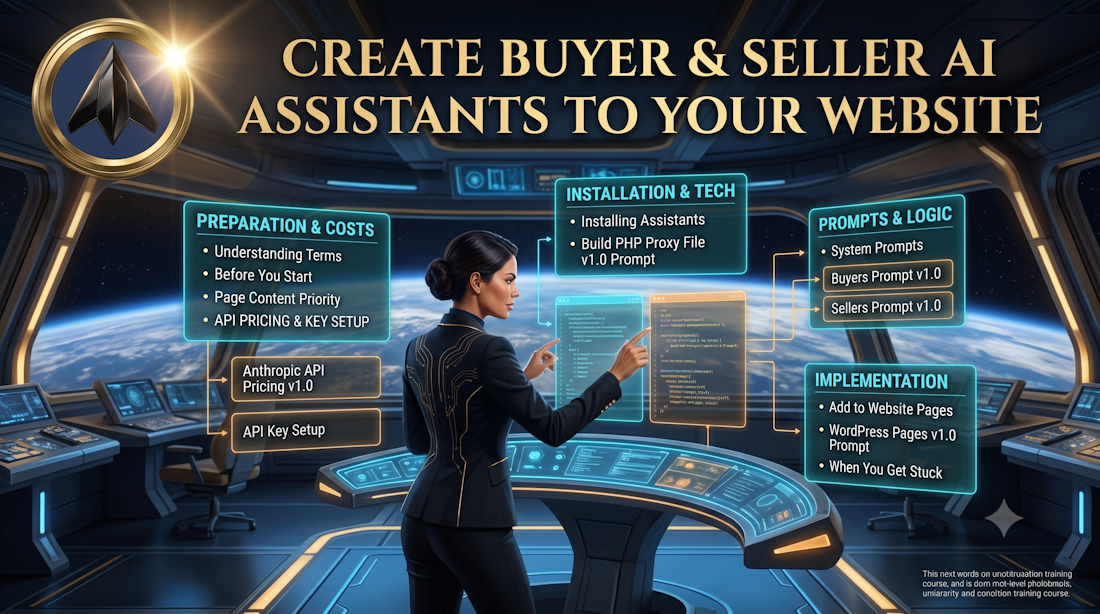
Create Buyer & Seller AI Assistants to Your Website
Introduction
There is something on your IIA Website that no other agent in your market has. Not your brokerage. Not the big portal sites. Not Zillow.
Two AI Assistants that work for your website visitors 24 hours a day, 365 days a year. One lives on your Buyers page. One lives on your Sellers page. Each one speaks directly to that visitor from their perspective — answering their questions, explaining the process, walking them through every form before anyone asks them to sign anything, and referring anything beyond their knowledge directly back to you.
This is not a chatbot plugin you download from somewhere. These are your AI Assistants, running on your website, trained on your content, representing you in your voice. You own them completely.
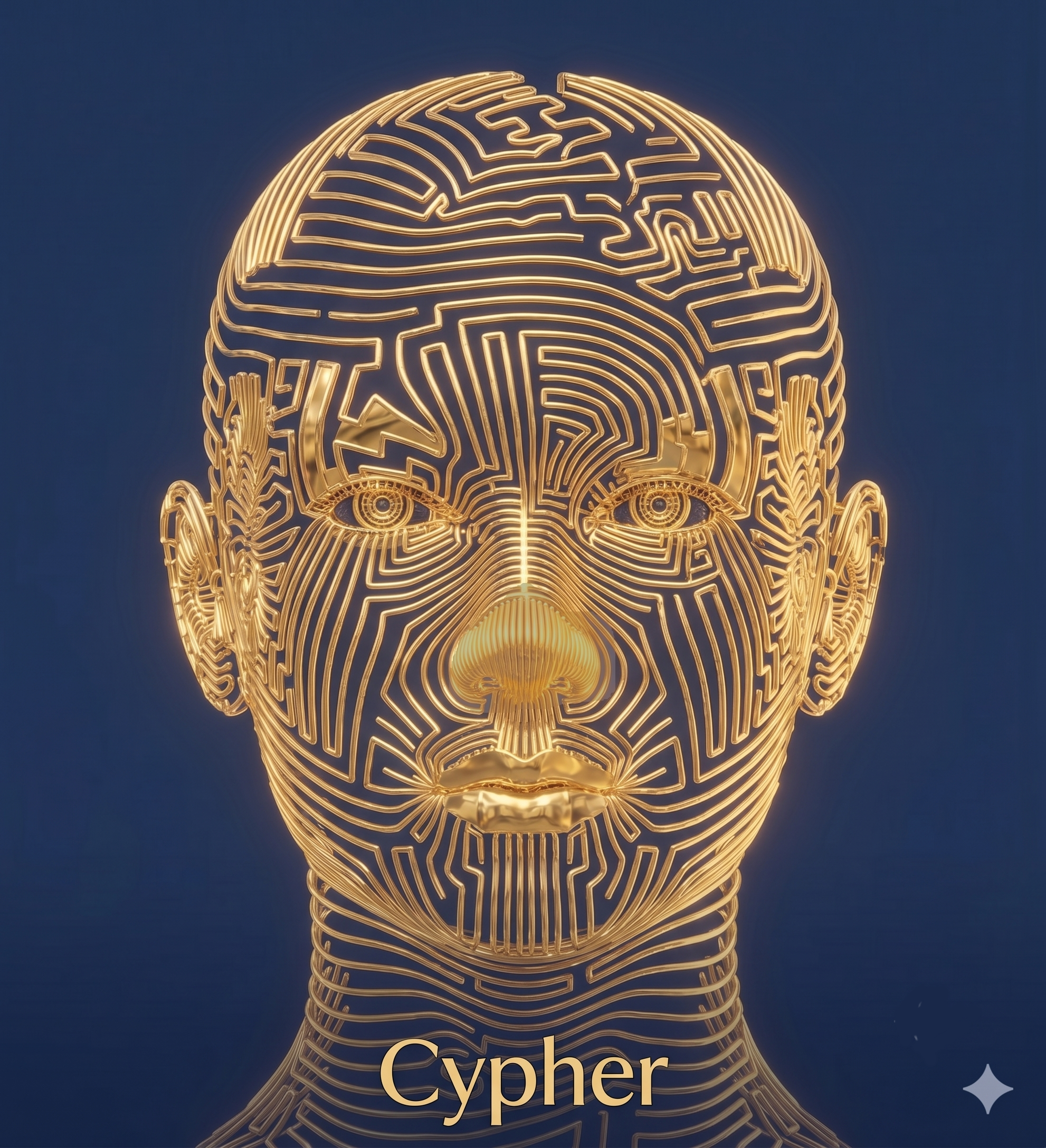
I built this. It is running right now on StealthRealEstateAgents.com. PDQ Scout greets every visitor on the front page. Cypher is the personal AI Assistant inside the member area, trained on every lesson in this certification. I built both of them myself — not because I am a developer, but because AI gave me the ability to do something I would otherwise have had to hire someone else to do.
That is the gift AI has given all of us. You are never alone when you have an AI Assistant working alongside you. Together you can accomplish anything you can dream of. Push yourself. Push your AI Assistant. I do, almost every day.
This lesson is going to show you how to build yours.
Understanding the Terms
Personal AI Assistant — An AI built on a platform like Claude, Gemini, or ChatGPT that you can interface with by typing or by speaking into a microphone.
AI Assistant — An AI Assistant can be created for a specific function, like one for your Seller's Page or Buyer's Page on your website, there to answer questions related to that page. AI Assistants are not limited in what they can assist with, which is exactly why you need to train them to focus on what you want them to do. They are built on a platform like Claude, Gemini, or ChatGPT, but you are paying for the API they are interfacing with. You want to make sure they are doing only the work you need them to do and not answering unrelated questions.
Bot — You may still hear the term Chatbot. The AI world has moved on from that word, but it takes humans a little time to catch up. The term you will hear going forward is simply Bot. A Bot is the face or character you give an AI Assistant. On the front page of your website it could be a simple static picture of a tiny blue robot head wearing a headset, or it could be anything you can imagine. It is your Bot — it should reflect your company, your personality, and how you want people to feel when they see it.
A Bot can live on the front page of your website to answer general questions and help visitors find the right page. It can live on your Buyer page, trained to answer buyer questions. It can live on your Seller page, trained to answer seller questions.
Before You Start
This is an advanced lesson. It is not hard, but it requires patience, and it requires you to work alongside your AI Assistant to get it done. You will not find a list of steps here that walk you through every click, because by the time you read this those steps may have already changed. Everything moves fast. That is beta.
What you will find here is everything you need to hand to your AI Assistant so that together you can build this. That is exactly how I built mine.
Beta is frustrating because it is creation. Creation is a messy labor. But it is worth it.
You will need:
— An IIA Website already set up on Bluehost with your Buyers page and Sellers page written and live
— An Anthropic account and API key
— Your AI Assistant — Claude, ChatGPT, or whichever you use
— Time and patience — plan for more than one session
— The willingness to keep going when it feels clumsy
Why your pages need to be written first
Your AI Assistants are trained on the content of the pages they live on. The tone you set when you wrote your Buyers page is the tone your Buyers Assistant will carry into every conversation with every visitor. The way you explained your services, answered questions, and walked buyers through your process — that is who your AI Assistant is. You do not have to teach it your voice separately. You already did that when you wrote the page.
Write your pages first. Then build your assistants.
Before You Start — The One Rule That Cannot Be Broken
Your API key is the key to your Anthropic account. Anthropic bills by usage — every conversation your AI Assistants have on your website costs a small amount, and it is charged to your account through that key.
The moment someone else has your API key, they can run up charges on your account without you knowing. This is not a techie rule. This is a money rule.
Nobody gets to see your API key. Not Claude. Not a tech person you hire. Not a helpful stranger in a Facebook group. Not anyone.
The moment you create it, store it somewhere safe. It never gets pasted into a chat window, a forum post, or an email. Ever. When your AI Assistant asks you to paste your API key so it can help you — and it will — that is when you stop and handle that part yourself, privately, exactly the way the instructions tell you to.
I learned this the hard way. The first time I wanted to trust Claude with my API key, Claude refused — and explained exactly why. That refusal protected me. Now I am passing it on to you.
What This Costs
Anthropic charges by usage — by the number of words going in and coming out of every conversation your AI Assistants have. For a real estate website with normal traffic, the cost is very small. But you need to know it exists before you build it.
Use this prompt to get current pricing information before you set up your account:
Prompt — IIA Website AI Assistants — Check Current Anthropic API Pricing v1.0
[PROMPT START]
I am a real estate agent setting up an Anthropic API account to power two AI Assistants on my WordPress website — one on my Buyers page and one on my Sellers page. I need to understand the current cost structure before I get started. Please search for current Anthropic API pricing and tell me in plain language what it will cost me for a small real estate website with moderate traffic. Include the name of the model I should use for the best balance of cost and quality for a conversational assistant, and tell me if there is a free tier or a spending limit I can set to protect myself from unexpected charges.
[PROMPT END]
Setting Up Your Anthropic Account and Getting Your API Key
Go to anthropic.com and create an account. When you are ready to get your API key use this prompt to get the current step by step instructions:
Prompt — IIA Website AI Assistants — Get Current API Key Setup Instructions v1.0
[PROMPT START]
I need current step by step instructions for setting up an Anthropic API account and creating my first API key. I am not a developer. Please search for the most current instructions — do not rely on your training data for this because Anthropic's dashboard changes frequently. Walk me through every step in plain language, tell me exactly what I will see on each screen, and tell me where to find my API key once it is created. Also tell me how to set a spending limit on my account so I am protected from unexpected charges.
[PROMPT END]
When the screen does not match the instructions — stop.
This will happen. Anthropic updates their dashboard and your AI Assistant's training has a cutoff date. The moment what you are looking at does not match what you are being told, paste exactly what you are seeing into the chat and tell your AI Assistant to go out and get current information. Copy the text on your screen, paste it right into the conversation, and say — this is what I am actually seeing right now, please update your instructions to match this.
That is not a sign that something is wrong. That is beta. Keep going.
Installing the AI Assistants on Your Website
This is the part that requires your AI Assistant to build something for you — a small file called a PHP proxy that sits on your Bluehost server and connects your website to Anthropic's API. This is how your website talks to your AI Assistants without exposing your API key to the public.
You will build one PHP proxy file. Both assistants run through it. What makes them different from each other is their system prompt — the instructions you write for each one that tells it which page it lives on, what it knows, and who it is representing.
Use this prompt to get started:
Prompt — IIA Website AI Assistants — Build the PHP Proxy File v1.0
[PROMPT START]
I am building two AI Assistants for my WordPress website hosted on Bluehost — one for my Buyers page and one for my Sellers page. I need you to help me create a PHP proxy file that connects my website to the Anthropic API. I am not a developer so please explain every step in plain language. I need you to search for current best practices for this type of build because things change fast and I want current information.
Here is what each assistant needs to do:
Buyers page assistant — answer questions from website visitors about the home buying process in my market area, explain the forms buyers will be asked to sign, help them understand my services, and refer anything outside its knowledge directly to me.
Sellers page assistant — answer questions from website visitors about the home selling process in my market area, explain the listing forms and disclosures, help them understand my services, and refer anything outside its knowledge directly to me.
Please give me the PHP proxy file code, tell me exactly what to do with it, where to put it on my Bluehost server, and how to connect it to my website pages. Walk me through every step as if I have never done this before — because I haven't.
[PROMPT END]
A note about uploading files to your server. At some point in this process you will need to place a file directly onto your Bluehost server. Your AI Assistant will walk you through how to do this using either the Bluehost File Manager or an FTP tool. Follow the instructions one step at a time. There will be warnings about editing server files — read them, understand them, and proceed carefully.
When I built mine it took me over an hour to figure out one particular step that turned out to have a very simple solution. I am telling you that so when you hit your wall — and you will hit one — you know that the solution is probably simpler than you think. Go back to your AI Assistant, tell it exactly what you are seeing, paste the screen content into the chat, and keep going.
Writing Your System Prompts
You are going to write two system prompts — one for your Buyers Assistant and one for your Sellers Assistant. The system prompt is what tells each assistant who it is, what page it lives on, what it knows, and how to represent you.
Your system prompts live in your PHP proxy file on the server — not on your website pages where visitors can see them. They are protected. Your visitors will never see them. They only see the answers they produce.
Your Buyers Assistant System Prompt
Prompt — IIA Website AI Assistants — Write Your Buyers Assistant System Prompt v1.0
[PROMPT START]
I need you to write a system prompt for an AI Assistant that will live on the Buyers page of my real estate website. This assistant will talk to potential buyers and represent me in my voice.
Here is the content of my Buyers page — everything that is on it including my services, my buyer FAQ, my process description, and any forms I explain there:
[paste your entire Buyers page content here]
Here is what I want this assistant to do:
— Answer questions about the home buying process in my market area
— Explain every form a buyer will be asked to sign in plain language
— Help buyers understand my services and what they can expect working with me
— Direct buyers to my interview form when they are ready to take the next step
— Refer any question it cannot answer to me directly at [your contact information or calendar link]
Here is what I do NOT want it to do:
— Give legal advice or financial advice
— Make promises about price, timing, or outcome
— Answer questions outside of real estate buying in my market area
My name: [your full name]
My market area: [your city and neighborhoods]
My website: [your website URL]
Write the system prompt so that this assistant sounds like me based on the tone and content of my Buyers page. It should feel like a knowledgeable, helpful version of me — not a generic chatbot.
[PROMPT END]
Your Sellers Assistant System Prompt
Prompt — IIA Website AI Assistants — Write Your Sellers Assistant System Prompt v1.0
[PROMPT START]
I need you to write a system prompt for an AI Assistant that will live on the Sellers page of my real estate website. This assistant will talk to potential sellers and represent me in my voice.
Here is the content of my Sellers page — everything that is on it including my services, my seller FAQ, my process description, and the forms I explain there:
[paste your entire Sellers page content here]
Here is what I want this assistant to do:
— Answer questions about the home selling process in my market area
— Explain every listing form and disclosure a seller will encounter in plain language
— Help sellers understand my services and what they can expect working with me
— Direct sellers to my interview form when they are ready to take the next step
— Refer any question it cannot answer to me directly at [your contact information or calendar link]
Here is what I do NOT want it to do:
— Give legal advice or financial advice
— Make promises about price, timing, or outcome
— Answer questions outside of real estate selling in my market area
My name: [your full name]
My market area: [your city and neighborhoods]
My website: [your website URL]
Write the system prompt so that this assistant sounds like me based on the tone and content of my Sellers page. It should feel like a knowledgeable, helpful version of me — not a generic chatbot.
[PROMPT END]
Putting Your AI Assistants on Your Pages
Once your PHP proxy is installed and your system prompts are written, each assistant gets placed on its specific page using a shortcode — a short piece of code you drop into a text block on your Beaver Builder page.
The Buyers Assistant shortcode goes on the Buyers page only.
The Sellers Assistant shortcode goes on the Sellers page only.
Use this prompt to get the current instructions for this step:
Prompt — IIA Website AI Assistants — Add to WordPress Pages v1.0
[PROMPT START]
I have a PHP proxy file installed on my Bluehost WordPress website that connects to the Anthropic API and powers two separate AI Assistants — one for my Buyers page and one for my Sellers page. I need to add each assistant to its specific page using Beaver Builder Lite. Please give me current step by step instructions for creating the shortcode or embed code that will display each chat interface on the correct page, and tell me exactly how to add it to a Beaver Builder page. Search for current information — do not rely on your training data for the specific steps.
[PROMPT END]
When You Get Stuck
You will get stuck. That is not a problem. That is the process.
Every time you hit a wall, go back to your AI Assistant. Do not close the window. Do not start over. Tell it exactly what you are seeing. Better yet — copy everything on your screen and paste it directly into the chat. Your AI Assistant cannot see your screen but it can read everything you give it. The more specific you are, the better it can help you.
If what you are being told does not match what you are looking at — stop and tell your AI Assistant to go out and get current information. Paste what is on your screen into the chat and say — this is what I am actually seeing right now, please update your instructions to match this.
You are not behind. We all live in beta.
Two AI Assistants, trained in your voice, working your website around the clock — built by you, for you.
Good job! You just gave your buyers and sellers something no other agent in your market can offer.
Return to Your Dashboard
Create Buyer & Seller AI Assistants to Your Website | Version 1.0 | June 20, 2026
 Cypher